Quick guide
How to export your GPX from Garmin Connect
You have the activity in Garmin Connect. In 2 steps you have the GPX file ready to create your poster.
01
Open your activity in Garmin Connect
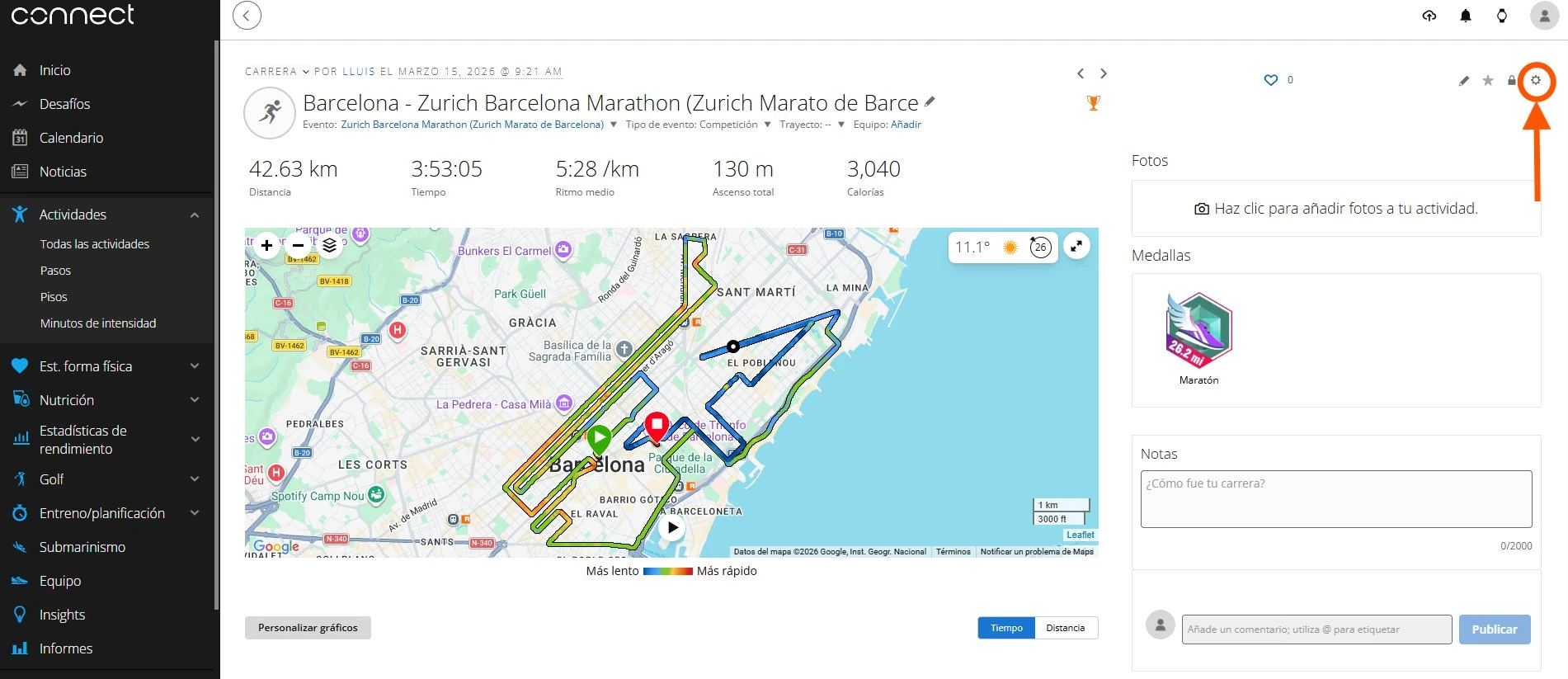
Log in to connect.garmin.com (or the Garmin Connect app) and open the activity you want to export. Click on it to see all the details.
02
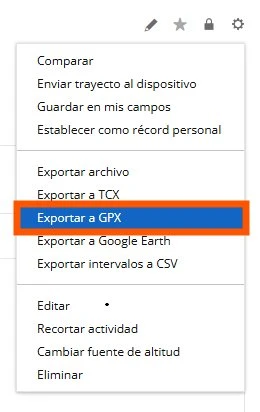
Click the gear icon and select "Export as GPX"
In the top right corner of the activity you will find a gear icon (⚙️) or three dots. Click it and select "Export as GPX". The file will download to your device.
You already have your GPX file?